














Aura Heiken Ashi - indicator for MetaTrader 4
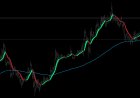
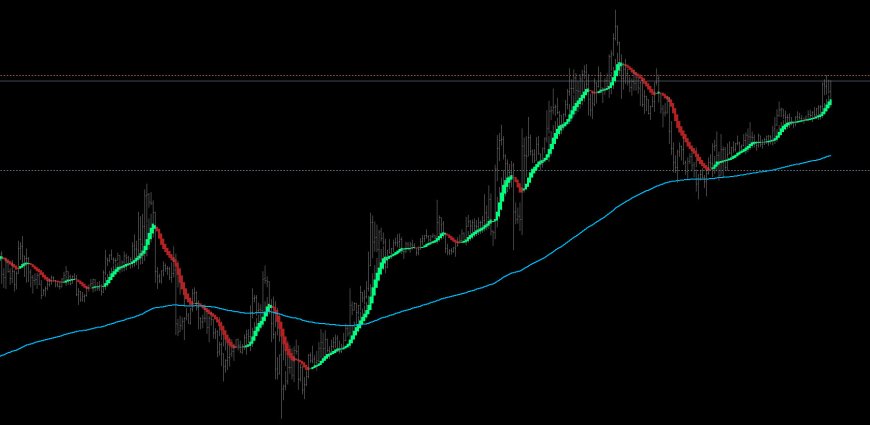
Aura Heiken Ashi professional-grade trend-following indicator designed to eliminate market noise and identify high-probability entry points. Unlike standard Heiken Ashi, this version integrates institutional-level filtering to ensure you only trade with the dominant market force.
Aura Heiken Ashi professional-grade trend-following indicator designed to eliminate market noise and identify high-probability entry points. Unlike standard Heiken Ashi, this version integrates institutional-level filtering to ensure you only trade with the dominant market force.
Key Features:
-
Dual Smoothing Technology: Uses a two-step smoothing process (SMMA & EMA) to provide a clean visual representation of price action without losing responsiveness.


-
Dynamic Supply & Demand (SnD): Automatically plots significant horizontal Support and Resistance levels based on recent price imbalances.
-
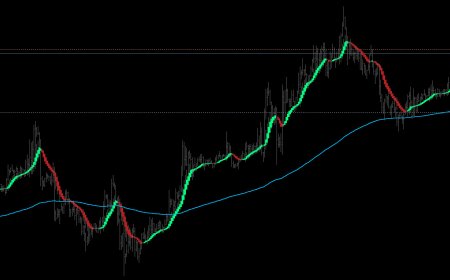
Major Trend Filter (200 EMA): Built-in trend plot that acts as a gatekeeper; it only allows bullish signals above the line and bearish signals below it.
-
Momentum Confluence: Signals are cross-verified using CCI and MACD algorithms to ensure price movement has sufficient backing.
-
Trend Strength Filter (ADX): Automatically turns candles Gray during low-volatility or sideways markets to protect you from "choppy" conditions.
-
Adaptive Volume Logic: Compares current tick volume against local averages to confirm genuine market participation.

How to Use:
-
Bullish Entry (Green): Enter when the candle turns Green, price is above the 200 EMA, and ideally bouncing off a Demand (Blue) line.
-
Bearish Entry (Red): Enter when the candle turns Red, price is below the 200 EMA, and ideally rejecting a Supply (Orange) line.
-
Neutral (Gray): Do not enter. This indicates a weak trend, lack of volume, or conflicting indicators.
Settings:
-
Heiken Ashi Settings: Customize the smoothing periods and methods.
-
Precision Filters: Toggle the 200 EMA visual and adjust ADX intensity.
-
SnD Settings: Adjust the lookback period for Support/Resistance detection and customize line colors.